
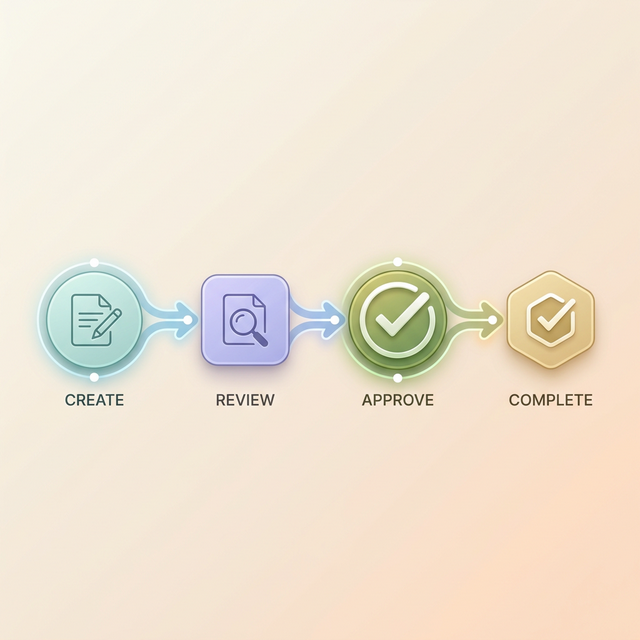
Here's a question most agency owners can't answer clearly: What is your approval process?
Not "how do you send files to clients." That's delivery, not approval. An actual approval process covers what gets reviewed, how clients give feedback, what counts as approved, and what happens when something needs changes.
Most agencies skip this entirely. They email deliverables, wait, follow up, interpret vague feedback, make changes, and hope they got it right. It works. Barely. Until it doesn't.
This article walks through building a process that eliminates the guesswork.
Why you need a defined process
The cost of not having one
Without a clear process, approvals default to email. And email based approvals have three predictable problems:
Feedback gets lost. When comments come in across email, Slack, text messages, and phone calls, things fall through the cracks. Week three, someone says "I mentioned this in my email" and nobody can find which email they mean.
Scope creeps silently. Without clear boundaries on revision rounds, projects stretch. "One more small change" repeated eight times is not a small change. It's unpaid work.
There's no paper trail. When a client says "I never approved that," you need documentation. "I think they said it looked good on a call two weeks ago" is not documentation.
The fix is surprisingly simple
A good approval process doesn't need to be complex. It needs to answer three questions consistently:
- What is the client reviewing?
- How do they tell you what they think?
- What constitutes final approval?
That's it. Every process in this article maps back to these three questions.
Building the process step by step
Step 1. Set expectations before the project starts
On your kickoff call or in your proposal, tell the client exactly how approvals will work. This takes 30 seconds:
"When deliverables are ready, I'll share a link to your portal. You'll see each item laid out as a task. For each one, you can approve it or request specific changes. I'll include two rounds of revisions in the project scope."
This small conversation prevents 90% of approval headaches. The client knows what to expect, you've established a boundary on revisions, and there's no ambiguity about the tool or the process.
Step 2. Package deliverables as discrete tasks
This is where most agencies go wrong. They send a folder with 12 files and a message saying "let us know what you think."
Instead, break every deliverable into a named task with:
- A clear title. "Homepage Hero Banner v2" not "hero_v2_finalFINAL.jpg"
- A short description. One or two sentences of context. What the client is looking at, why it matters, anything they should pay attention to.
- The attachment. The actual file, image, or link they need to review.
- Two options. Approve or Request Changes. Nothing else.
When each item needs exactly one decision, clients move through them fast. It almost becomes satisfying, like checking items off a list.
Step 3. Use a dedicated portal, not email
Email wasn't built for approvals. Files get buried, version control doesn't exist, and every reply-all spawns a new confusing thread.
The better approach is a dedicated client portal where everything lives in one place. Each project has its own space, each deliverable is organized, and the client can only do two things: approve or request changes.
With TryApprove, setting this up takes about two minutes. Create a project, add your tasks with deliverables, customize with your brand, and share the magic link. The client clicks the link and sees everything they need to review. No account creation, no password, no friction.
Step 4. Collect structured feedback
When a client says "I don't love the colors," that's not feedback you can act on. Your process should guide them toward being specific.
Two features make this possible:
Visual annotations. The client clicks directly on the part of a design they want changed and writes a note. "Make this text white, it's hard to read against the dark background." No interpretation needed.
Binary actions. Each task has only two outcomes: Approved or Changes Requested. This eliminates the gray area between "I have thoughts" and "this is final."
Step 5. Set a review deadline
Clients aren't trying to miss deadlines. They just can't see them. When your review deadline is buried in paragraph three of an email, it's invisible.
State the deadline clearly when you share the portal link. "I've shared the deliverables for your review. Could you go through these by Thursday? That gives us time to make any changes before next week."
Clients who know the timeline respect it. Clients who don't know it aren't being unresponsive. They're just not aware.
Step 6. Handle revisions in the same place
When a client requests changes, don't start a new email thread. Update the task in the portal with the revised version. The client reviews it in the same spot, with the full conversation history visible.
This prevents the single most common problem with revision cycles: losing context. "Wait, what did I request last time?" disappears when everything is in one thread.
Step 7. Document every approval
When a client approves something, that approval should be timestamped and recorded. This isn't about being legalistic. It's about having a clear record when someone asks "did we ever actually approve that?" three months later.
Every approval becomes documentation that protects both sides.
Common mistakes
Sending everything at once. Twenty deliverables dropped on a client at the same time guarantees either silence or unfocused feedback. Send in batches of three to five.
Using multiple channels. Pick one place for approvals and commit. The moment feedback splits between email, Slack, and a portal, things slip through cracks.
Skipping the kickoff conversation. If the client doesn't know about the process before it starts, they'll default to whatever they're used to (usually email).
Confusing feedback with approval. "I have thoughts on the color palette" is feedback. "Yes, this is final" is approval. Your process needs to clearly separate these.
What good approval timelines look like
Based on agencies using structured processes:
| Deliverable type | Typical turnaround |
|---|---|
| Logo concepts | 2 to 3 business days |
| Website mockups | 3 to 5 business days |
| Social media content | 1 to 2 business days |
| Print materials | 2 to 3 business days |
| Video edits | 3 to 5 business days |
If your turnaround times are consistently longer, there's friction in your process somewhere. The most common culprit is too much friction in the review step itself.
Getting started today
You don't need to overhaul everything at once. Just test the process on your next project:
- Set up a free portal on TryApprove
- Add your deliverables as individual tasks
- Share the link with your client instead of emailing attachments
- Notice how much faster they respond
The difference between a two week approval cycle and a two day approval cycle usually isn't the client. It's the process. Fix the process and the speed follows.
Still spending too much time on follow ups? Read why your feedback process might be the real problem.
Looking for tools to support this process? Here's our comparison of the top client approval platforms.
Want to make your approval process part of a documented system? Read how to build SOPs for your creative agency.