
"Can you make the logo bigger?"
Every designer has received this feedback. And every designer has thought: "Which logo? Where? How much bigger? And where exactly are you looking?"
Vague feedback is the number one productivity killer in design work. Not because clients don't know what they want — but because text-based feedback in an email can't point at a specific pixel on a specific screen.
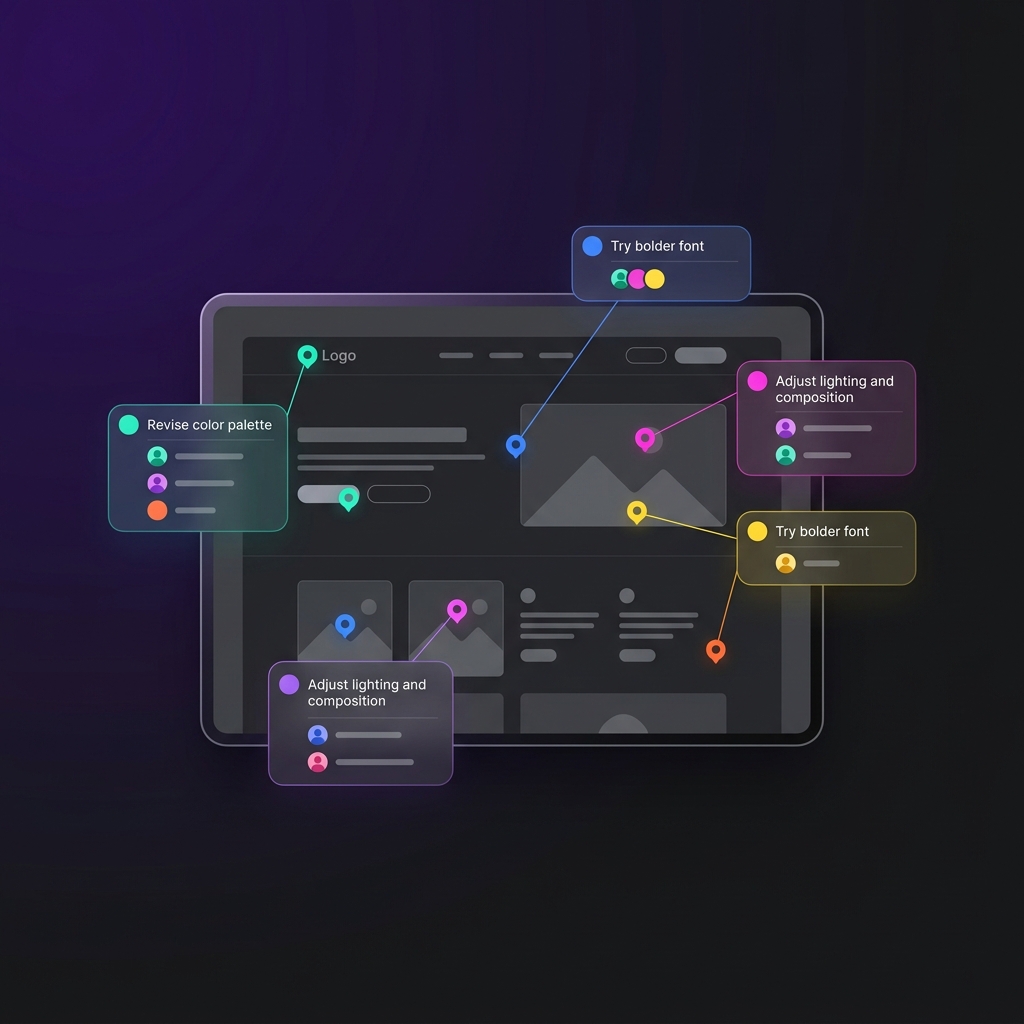
Visual feedback tools solve this by letting clients click directly on a design to leave feedback. Pin drops, annotations, markups — whatever you call them, the effect is the same: crystal-clear communication about exactly what needs to change.
Here's how the best tools compare in 2026.
What makes a great visual feedback tool
Before we get into the tools, here's what separates the great ones from the mediocre ones:
Multi-format support. Agencies don't just design static images. You need annotations on PDFs, videos, live websites, and sometimes Figma files. A tool that only supports images is only useful for part of your workflow.
Low client friction. If your client needs to download an app, create an account, or watch a tutorial to leave a comment, you've already lost half of them. The best tools let clients start reviewing in seconds.
Threaded discussions. A pin on a design is a starting point, not a complete conversation. Good tools support threaded replies on each annotation so the discussion happens in context — not in a separate Slack channel.
Version comparison. When you upload v2, your client should be able to see what changed from v1. Side-by-side comparison or overlay diff — either works, as long as it's intuitive.
Integration with your workflow. Feedback is useless if it lives in a silo. The best tools connect annotations to your project management workflow — ideally in the same platform.
The tools
1. TryApprove — Best for agencies that want feedback + approvals + invoicing in one platform
TryApprove's annotation system lets clients drop pins directly on images, PDFs, videos, and live websites. Each pin creates a threaded discussion, and clients can attach reference files to their comments.
But what makes TryApprove different from dedicated proofing tools is that annotations are just one part of a complete client management platform. Your client opens one portal and sees their contracts, deliverables (with annotations), approvals, and invoices — all branded with your logo and colors.
Supported formats: Images, PDFs, videos (with timestamped comments), live website URLs
Client access: Magic link — no signup, no password
Annotation types: Pin-drop comments, threaded discussions, reference file attachments
Beyond feedback: One-click approvals, version history, built-in contracts, questionnaires, invoicing, team chat
Pricing: Free (2 projects) / $29 Pro / $79 Agency
Best for: Agencies and freelancers who want visual feedback as part of a larger client workflow — not as a standalone tool they need to bolt onto five other platforms.
2. Frame.io — Best for video-first teams
Frame.io has been the go-to for video review for years, and for good reason. The video annotation experience is excellent — frame-accurate comments, drawing tools, version stacks, and a smooth playback experience even with large files.
Adobe acquired Frame.io and it now integrates deeply with Premiere Pro, After Effects, and the rest of the Creative Cloud. If your team lives in Adobe tools and primarily produces video content, this integration is genuinely useful.
Supported formats: Video (primary focus), images, PDFs
Client access: Account required or guest review links
Annotation types: Time-based video comments, drawing tools, frame-accurate pins
Beyond feedback: Version stacks, Adobe integration, team workflows
Pricing: Free tier available / Paid starts at $15/user/month
Best for: Video production teams and post-production studios deeply embedded in the Adobe ecosystem.
Limitation: Frame.io is a proofing tool, not a client management platform. You still need separate tools for contracts, invoicing, project management, and onboarding. We wrote a deeper comparison in our Frame.io alternative post.
3. Filestage — Best for enterprise multi-step review workflows
Filestage is built for organizations where approvals need to go through multiple rounds and multiple stakeholders — legal review, then creative director, then the VP of marketing, then the client. It handles sequential and parallel approval chains with granular permissions.
Supported formats: Video, images, PDFs, documents, audio, HTML
Client access: Account required
Annotation types: Comments, drawing tools, file comparison
Beyond feedback: Multi-step approval workflows, due dates, reviewer assignments
Pricing: Starts at $49/user/month
Best for: Enterprise marketing teams and regulated industries with formal, multi-step review processes.
Limitation: Overkill for most agencies. If your approval process is "send to client, client approves or requests changes," Filestage's complexity adds overhead without value. The per-user pricing also gets expensive quickly. See our detailed Filestage alternative comparison.
4. GoVisually — Best for simple image proofing
GoVisually keeps things intentionally simple. Upload an image, share a link, and your client can annotate directly on the design. No complex setup, no overwhelming feature lists — just point-and-click feedback on visual assets.
Supported formats: Images, PDFs, videos
Client access: Guest review links (no account required for reviewers)
Annotation types: Pin-drop comments, drawing tools
Beyond feedback: Basic version comparison, approval tracking
Pricing: Starts around $20/month
Best for: Small design studios that primarily work with static visuals and want the simplest possible proofing workflow.
Limitation: GoVisually is a proofing tool only. No project management, no invoicing, no contracts, no onboarding. You'll need to pair it with 3-4 other tools for a complete workflow. Read our GoVisually alternative comparison.
5. Markup.io — Best for live website feedback
Markup.io's strength is live website annotation. You paste a URL, and your client can annotate directly on the live page — pinning comments on specific elements, capturing responsive views, and even annotating interactive states.
Supported formats: Live websites (primary focus), images, PDFs, videos
Client access: Guest links available
Annotation types: Pin-drop on live pages, element highlighting, responsive captures
Beyond feedback: Browser extension for quick captures
Pricing: Free tier available / Paid plans from $25/month
Best for: Web development and web design agencies where the primary deliverable is a live website or staging environment.
Limitation: Strong for websites, but less comprehensive for other asset types. Like GoVisually, it's a proofing tool — not a client management platform. Our Markup.io alternative post covers this in more detail.
Quick comparison
| Feature | TryApprove | Frame.io | Filestage | GoVisually | Markup.io |
|---|---|---|---|---|---|
| Image annotations | ✅ | ✅ | ✅ | ✅ | ✅ |
| PDF annotations | ✅ | ✅ | ✅ | ✅ | ✅ |
| Video annotations | ✅ Timestamped | ✅ Frame-accurate | ✅ | ✅ | ✅ |
| Live website annotations | ✅ | ❌ | ✅ HTML | ❌ | ✅ |
| No client signup | ✅ Magic link | ❌ | ❌ | ✅ Guest links | ✅ Guest links |
| Built-in approvals | ✅ | ✅ | ✅ Multi-step | ✅ Basic | ❌ |
| Contracts & e-signatures | ✅ | ❌ | ❌ | ❌ | ❌ |
| Invoicing | ✅ | ❌ | ❌ | ❌ | ❌ |
| Project management | ✅ | ❌ | ❌ | ❌ | ❌ |
| White-label portal | ✅ | ❌ | ❌ | ❌ | ❌ |
| Starting price | Free | Free | $49/user/mo | ~$20/mo | Free |
The bigger question: standalone proofing or all-in-one?
Here's the decision most agencies need to make: do you want a best-in-class standalone proofing tool, or do you want visual feedback as part of a platform that also handles contracts, project management, approvals, and invoicing?
Choose a standalone proofing tool if:
- You have an established tool stack you're happy with
- You primarily produce one type of content (e.g., video only → Frame.io)
- You need enterprise-grade approval chains (Filestage)
- You're willing to manage the integrations between proofing + PM + invoicing
Choose an all-in-one platform if:
- You're tired of juggling multiple tools for one client workflow
- You want your clients to have one portal for everything
- You want to stop paying for 5 separate tools
- You're a small to mid-size agency or freelancer
For most agencies we talk to, the all-in-one approach wins — not because TryApprove's annotation tools are more powerful than Frame.io's video tools (they're not), but because having annotations in the same platform where contracts, projects, and invoices live eliminates an entire category of operational friction.
Try it yourself
TryApprove is free for up to 2 projects. Upload a design, send the portal link to a colleague (or yourself), and test the annotation experience. You'll see how it feels from your client's side in about two minutes.